IP Filters

Driving the UX process for enabling granular IP traffic control per application as a Lead Product Designer.

Year
2025
Role
Individual contributor - Lead Product Designer
Duration
7 months
IP Filters
IP Filters

Overview

The problem

The previous IP filter solution lacked granular control, applying a single set of rules to all applications within a stage. This limitation prevented customers from tailoring security policies to different application groups and posed a challenge for scenarios requiring both restricted and public-facing applications within the same stage. For example, if a customer had a configuration allowing traffic only from certain IP addresses, they couldn't have a public-facing application without disabling IP filters.

Key challenges

This initiative aimed to allow users to manage their IP rules at the application level, a significant shift from the previous stage-level management. Key challenges included:

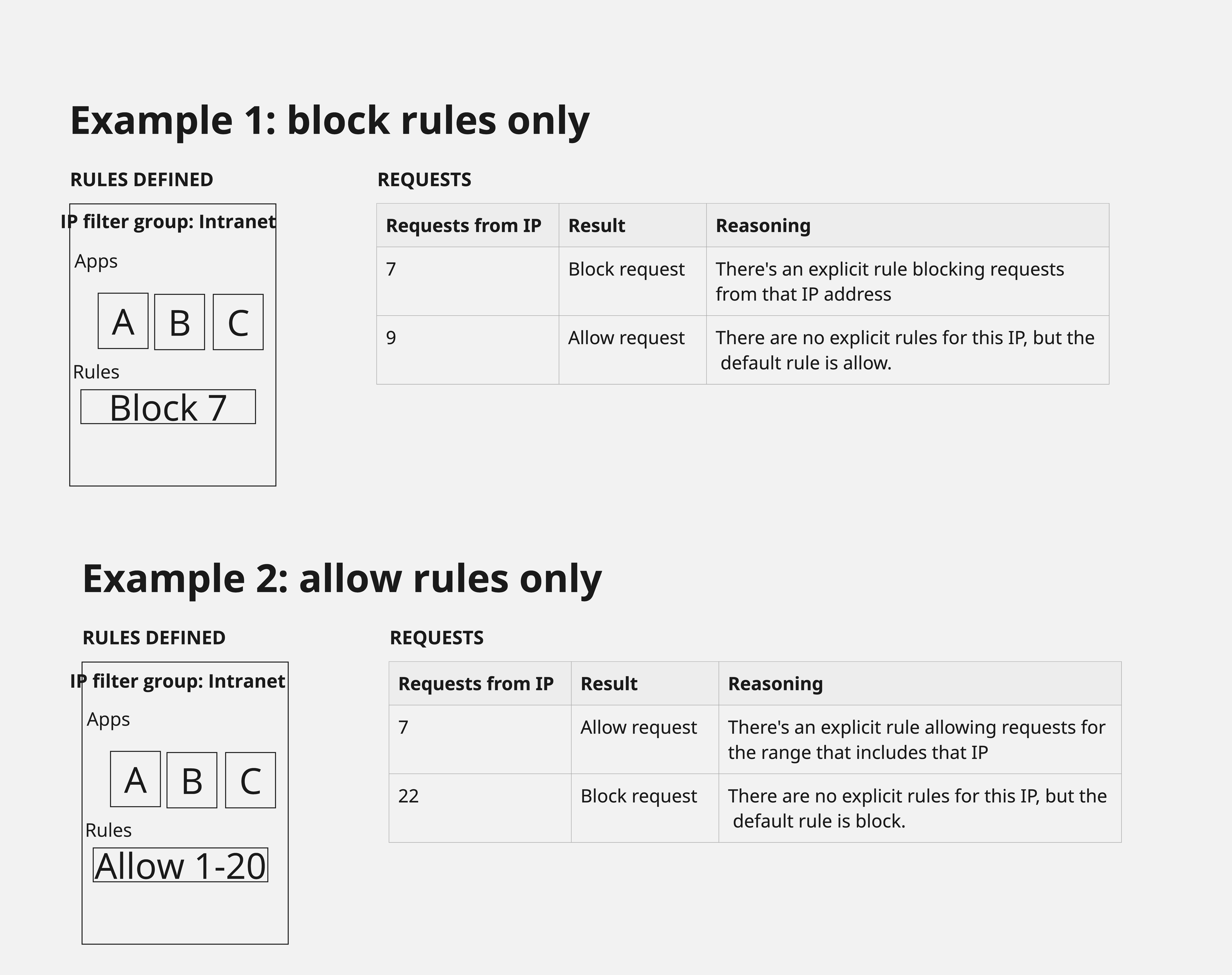
  • Technical constraints: there were restrictions in the underlying technology that impacted how IP rules are applied (block rules are applied before allow rules).
  • Stakeholder alignment: ensuring high alignment with diverse stakeholders (PM, Engineering, Arch, POs) from the outset was crucial for this architect-intensive problem.
My role

Driving the UX process from problem definition to solution delivery.
Leading the solution design, including conceptual models and detailed design.
Facilitating alignment with various stakeholders through low-fidelity mockups and discussions.
Conducting competitive analysis to inform design patterns and terminology.
Evaluating the effectiveness of the design and delivery process, including identifying areas for improvement and measuring success.

UX process

The UX process was structured around pragmatic decisions given the clear problem definition and technical context.

πŸ”

Problem definition

Followed a pragmatic approach to increase problem comprehension and feed solution direction.

  • Clear problem: the problem of granular IP filter control was acknowledged as a missing feature with clear outcomes.
  • Limited research: Given the clear problem definition, extensive generative research was not deemed necessary. Instead, UX research focused on competitive analysis to identify best practices, terms, and patterns for reuse. Also conducted desk research including community forums, support tickets, and user feedback
✏️

UX concept

Collaborated with peers to define concepts and create early UX explorations.

  • Alignment with stakeholders: although the problem was well-known, it required aligning the direction with several Product Managers, to guarantee the solution wouldn't block initiatives to come. It also required a strong alignment with Architects to ensure we could balance usability with feasibility.
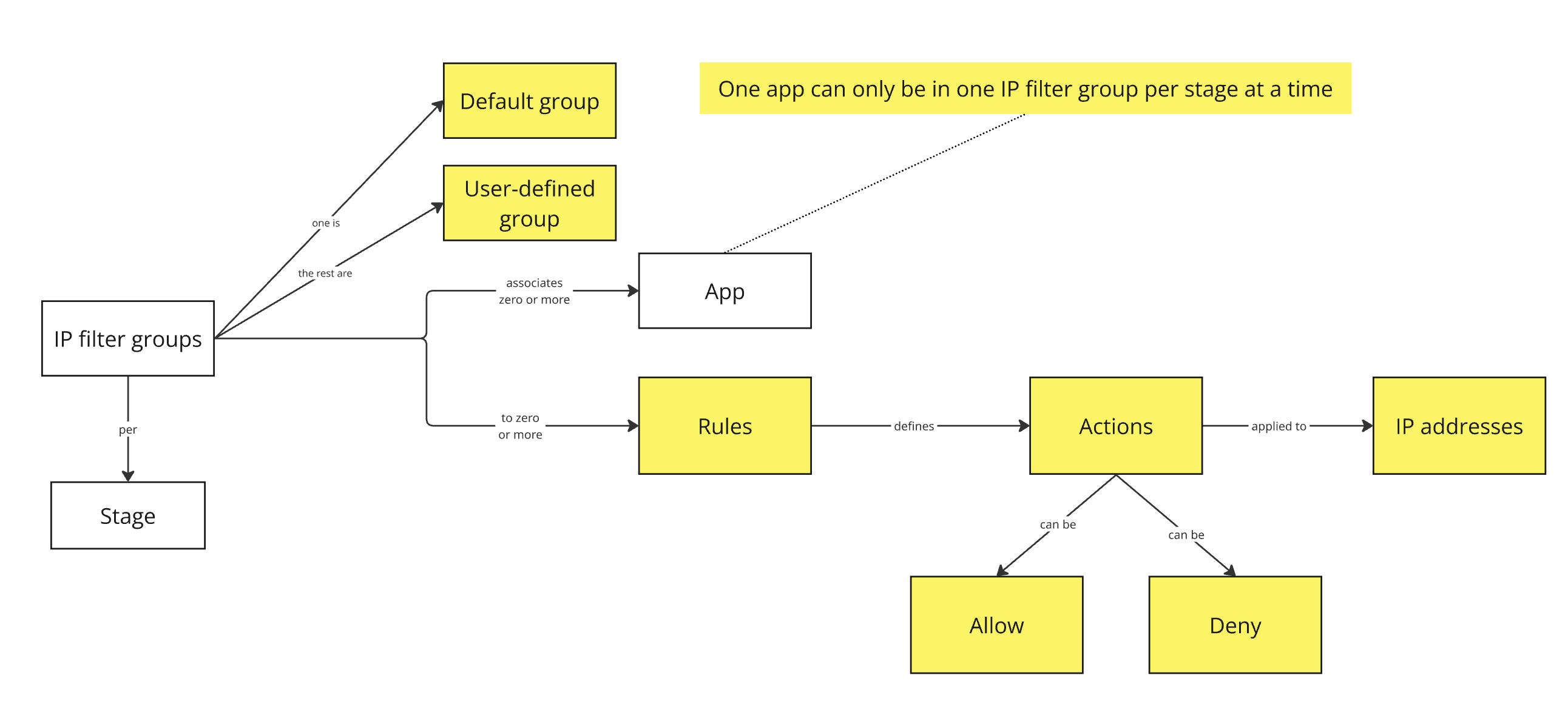
  • Conceptual modeling: early conversations initiated using a conceptual model, which was visually represented by a diagram showing the relationships between the already existing concepts in the product and the new IP filter groups concept.
  • Low-fidelity mockups & high alignment: low-fidelity mockups enabled dev teams to provide estimates for their effort and review the roadmap accordingly.
πŸš€

Solution design & delivery

Adapted design according to technical limitations and delivered medium-fidelity mockups.

  • Alignment with the vision: ensured design consistency across the broader product vision.
  • Adapt design to needs: understood technical limitations from Architecture and development teams and adapted the design when needed.
  • Frequent iterations with stakeholders to ensure alignment
  • Feedback loop: feedback was primarily sought after the feature release to ensure an efficient feedback loop given the technical scenario, although I held several design critiques.

User journeys

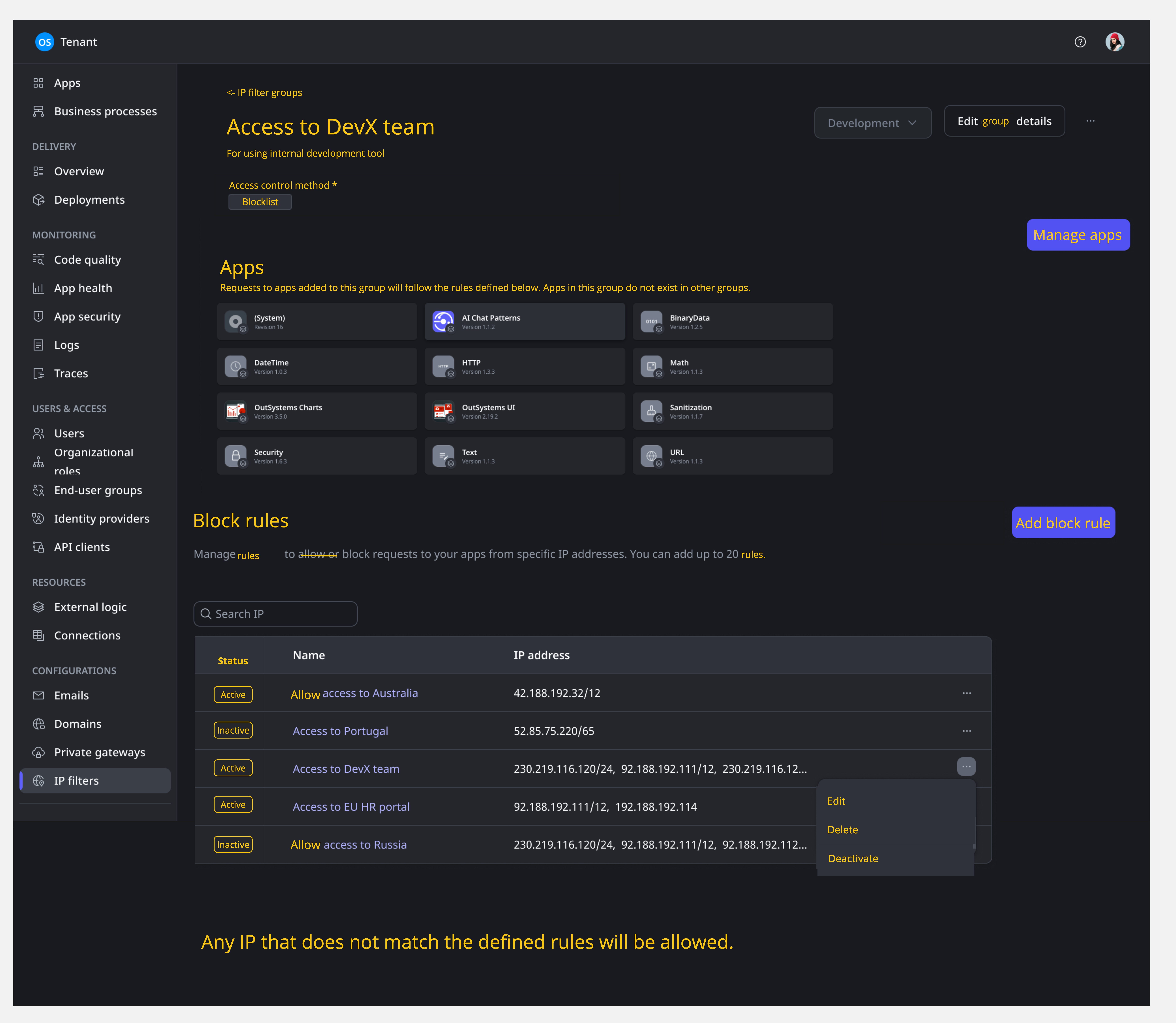
  1. Initial access & migration: users accessing the IP filter groups list for the first time, migrating from the previous experience, will see their previously created rules and all existing apps placed in the default group.
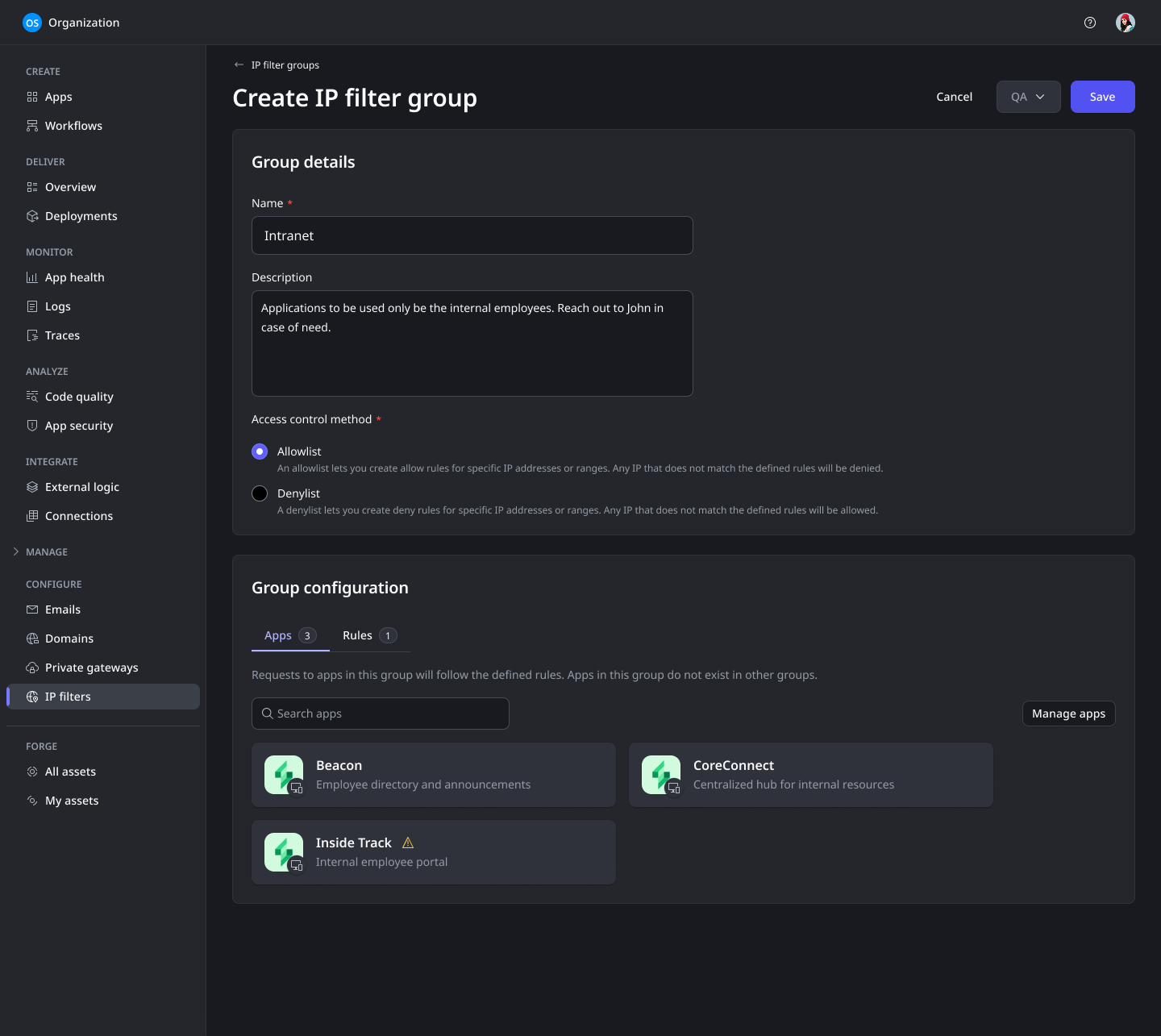
  2. Creating IP filter groups: users can navigate to the ODC Portal, select the Configure tab, then IP filters, choose a stage, and click "Create group", where they provide a unique name, optional description, and an access control method (allowlist or denylist).
  3. Adding rules to a group: users select an IP filter group, click "Edit", and then "Add allow rule" or "Add deny rule" depending on the group's access control method. They define a name for the rule and enter up to 20 IPv4 or IPv6 addresses or ranges. Rules can be edited (name, IP addresses) or deleted. Rules can also be activated/deactivated.
  4. Associating apps with groups: users go to the "Apps" tab within the group configuration and select "Manage apps". Adding an app to a group automatically removes it from its previous group, as an app can only belong to one group at a time per stage. Apps can be associated with an IP filter group before deployment to ensure consistent security.
  5. Managing groups: the access control method (AllowList/DenyList) cannot be changed after creation. User-created groups can be deleted when no longer needed. The default group cannot be deleted.

Design evolution

Early wireframes and concept explorations that helped align stakeholders on the vision and approach.

Concepts diagram
Concepts diagram
Concepts diagram
System behavior example
First mockups in Miro
Final design
Final design
Final design

Key learnings